How to clone an existing resume
Duplicating a resume gives you a second copy to change freely, with the original left as it was. It is the quickest way to keep one resume per kind of role.
-
Open your resumes.
-
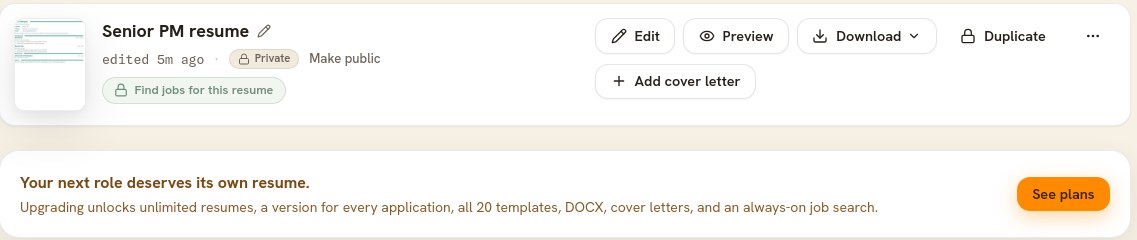
Click Duplicate on the resume you want to copy.

The copy appears in your list a moment later, ready to rename. -
Give the copy a name that tells the two apart. Click the pencil beside its title and type.
What comes across
Everything: your content, your template, your font, color, text size, and page settings, and your cover letter if the resume has one. The copy is private, with its own public address, and nothing you do to it touches the original.
On the free plan
The free plan keeps one resume, so Duplicate wears a lock and shows you what upgrading unlocks. Duplicating is included on every paid plan, along with as many resumes as you want.
Duplicating, or a job version
Duplicating is for a resume you will edit yourself: a different field, a different country, a shorter one. For one particular job, rewriting your resume for that job is usually better. It writes the copy for you and keeps it linked to the original.