How to sign in to your account
There are two ways into a Resumonk account: your Google account, or the email and password you set up when you joined.
-
Go to the log-in page.
-
Click Continue with Google if that is how you joined. Google asks you to confirm, and you land back in Resumonk.
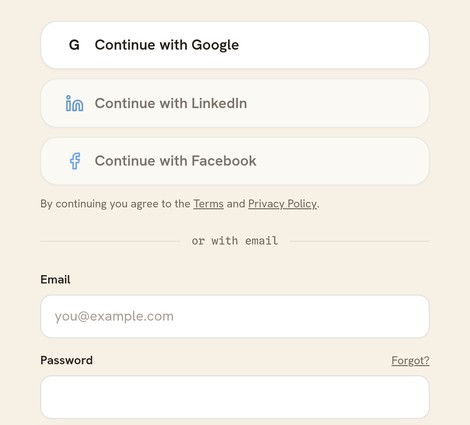
Google sits above the email form. Both lead to the same account. -
Otherwise type your email and password under or with email and click Log in.
Which one is yours
Use whichever you set up. If you joined through Google there is no password on the account yet, so the email form will not let you in.
You can have both. Sign in with Google, open your account page, and set a password. After that either way works.
Good to know
- Use the same email address you joined with. An account is found by its address, so a different Google address opens a different account.
- Forgotten your password? Use Forgot? beside the password field, or see how to reset your password.
- The page shows every sign-in Resumonk currently supports. A button that is dimmed and cannot be pressed is not available yet, so you are not left guessing.
- No account yet? Build a resume first. You sign in at the end, and the resume comes with you.