How to add multiple roles for the same company
Promotions are worth showing. If you held two or three roles at one employer, you can list each one without repeating the company name on every line.
The usual way: one entry per role
-
In the Experience section, click Add role to add a second entry under the first.
-
Fill in the title and the dates. Leave Company blank.
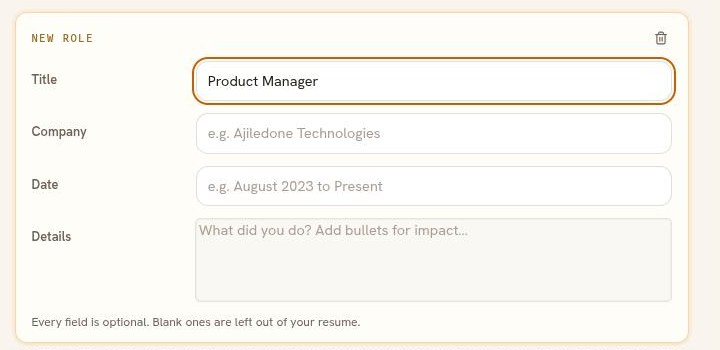
Every field is optional. A blank company is left out of the resume rather than printed empty. -
Put the achievements for that role in its own Details field. The entry now reads as a second role at the company named above it.
The shorter way: one entry, both titles
If the two roles blur together, keep one entry for the company and cover both in the Details field. Write the title as something like "Product Manager, then Senior Product Manager". You can also leave the title blank and open the Details with each role and its dates.
Good to know
- Order matters more than labels. Put the most recent role first, and use the move arrows if it is in the wrong place.
- Keep the dates on every role. A reader wants to see how long each one lasted.
- Two entries print as two blocks. If your template puts a rule between entries, one will appear between the roles too.