How To Shorten Resume Without Losing Valuable Information (With Templates)

To shorten a resume, first cut what the job does not need: old jobs, duty descriptions, general skills and extra sections. Then tighten what is left with one-line bullets, numbers instead of explanations, and smaller margins if you still need space.
Below are the cuts in order, with before-and-after lines, then how to get down to one page or two.
In short
- Shorten or condense a resume by cutting content first and changing the layout last.
- Jobs older than 10 to 15 years, or unrelated to the new job, shrink to one line or leave the resume.
- Each bullet should hold one result, and most fit on one line.
- Small sections such as skills, achievements and interests can merge into one.
- A full street address, references and general skills free several lines at once.
- Narrower margins and tighter spacing save a few more lines without cutting anything.
Is a shorter resume better?
A shorter resume is better when it keeps everything the job needs and drops the rest. The reader reaches your best results faster, and the choices you made show you can set priorities.
Shorter is not always better, though. A shorter resume suits early careers, while a two-page resume is right once you have about ten years of relevant experience.
How do you shorten a resume without losing valuable information?
A resume gets shorter without losing value when you cut in this order, starting with what matters least.
1. Mark what the job post asks for
Shortening starts with the job post, because it tells you what is valuable. Note the skills, tools and results it asks for, and keep the lines that prove them. This is the same work as tailoring your resume to the job description.
2. Shrink old and unrelated jobs to one line
An old or unrelated job keeps its title, company and dates, and loses its bullets. For example:
- Before: Sales Associate, Brightway Outfitters, 2009 to 2011, with four bullets about the register, displays and stock.
- After: Sales Associate, Brightway Outfitters, 2009 to 2011.
3. Replace duties with results
A duty line says what you were supposed to do; a result line says what happened. The result is usually shorter too:
- Before: Responsible for handling customer calls and making sure that customer problems were resolved in a timely manner.
- After: Resolved 45 customer calls a day, most on the first call.
4. Turn paragraphs into one-line bullets
A paragraph under a job takes more space than the same facts as bullets, and it is harder to skim. Give each bullet one result, and cut words such as "successfully", "various" and "in order to".
5. Let a number replace the explanation
A number says in two words what a sentence of description says in twenty:
- Before: Helped the team cope with a large increase in calls during our busiest period of the year.
- After: Handled 40% more calls in peak season with no extra staff.
6. Drop general skills
General skills such as "communication" or "Microsoft Office" take a line and tell the reader little. Keep the technical skills and tools the job post names.
7. Merge small sections
Every section needs a heading, and each heading costs a line. Keep Experience and Education as their own sections, and fold skills, achievements and interests into one section called "Additional Information".
8. Cut the contact details to what employers use
Contact details need only your phone, email and city and state. Leave out your full street address for privacy. Drop the city too if you are applying elsewhere and want to avoid questions about moving.
9. Trim associations and volunteer work
Associations and volunteer experience can go on one line each, or move to your LinkedIn profile, unless they matter in your field. Many hiring managers look at LinkedIn before an interview.
Which layout changes make a resume shorter?
Layout changes make a resume shorter after the content is cut, and they help most when you are a few lines over. A simple format with one column and plain headings uses space well.
- Margins of half an inch to one inch on every side.
- A font size of 10 to 12 points, never smaller.
- Single line spacing, with a little space between sections.
Some Resumonk templates, such as Clear, Vibrant, Concise, Slim, Collegium and Charisma, fit more lines on a page. A few templates are free; the others need a paid plan.
The PDF settings in the Preview & Download view set the page size, the spacing and the page margins.
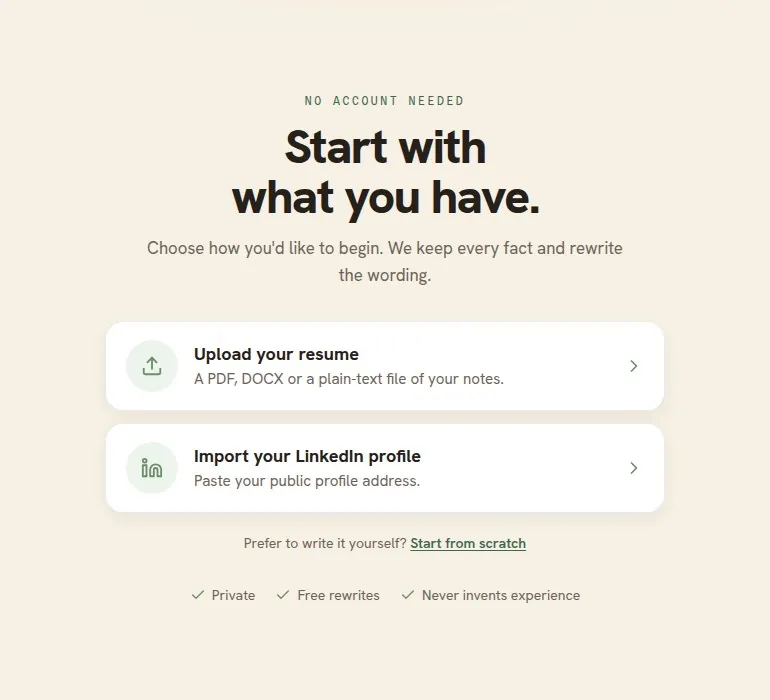
Fit your resume on one pageCut a section, shorten your lines, then download the PDF and count the pages.
Build your resume
How do you condense a resume to one page?
A resume condenses to one page when only your last few relevant roles keep bullets, with two or three results each. If you are building it fresh rather than cutting, start from these steps on how to make a one-page resume.
How do you shorten a resume with lots of experience?
A shorter version of a resume with lots of experience keeps only the last 10 to 15 years in detail. That usually condenses it to two pages, with earlier roles in a short list and no bullets:
- Earlier experience: Account Manager, Fenwick Print, 2006 to 2010
- Earlier experience: Sales Representative, Fenwick Print, 2003 to 2006
Give older roles in the detailed part two or three bullets, and your current role four or five. Training courses and certifications from many years ago can go, unless the job asks for them.
Common questions about shortening a resume
How do you shorten a CV?
A CV is shortened the same way as a resume: cut old roles, duties and general skills first, then adjust the layout. In the UK, aim for two pages unless the CV is for an academic post.
What should you cut first from a long resume?
The first things to cut from a long resume are references, an objective, hobbies and jobs from over 15 years ago. None of them usually helps the reader decide.
Can AI or a resume condenser shorten a resume?
A chat assistant can suggest shorter wording for your bullets, but it may drop numbers or facts you need. Check every line it changes; here is how to use AI to create a resume with care.
How do you reduce the file size of a resume?
A resume file gets smaller when you remove photos and graphics. Save it as a PDF from your editor rather than scanning a printed copy. A text-based PDF of one or two pages is usually small enough for any upload form.
Keep reading
- Resume Formats Guide - How to Format a Resume
- How to Name a Resume File (with Tips from Experts)
- Should You Put a Photo on Your CV?
- How to Write a Functional or Skills-Based Resume (With an Example)
Next step: pick a resume template.
job hunting.
Resumonk polishes your resume, discovers matching jobs and finds connections inside companies.
Get started free- Indeed
- Greenhouse
- + more
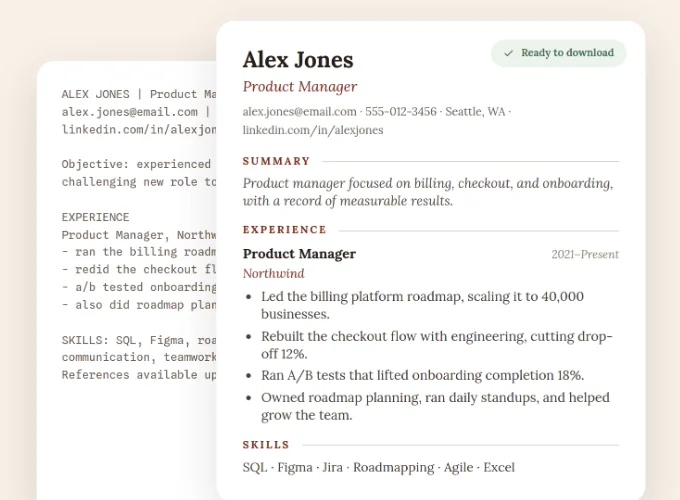
This article was originally published on our blog on Nov 22 2024 and authored by Team Resumonk. It was edited and republished in its present form by Team Resumonk on Sep 15 2025.