How to change page size
Your PDF resume can be Letter or A4. Letter is standard in the United States and Canada. A4 is standard almost everywhere else.
-
Open your resume and click Preview & Download.
-
Under the PDF settings box, click Page settings to open it.
-
Click Letter or A4 on the Size row.
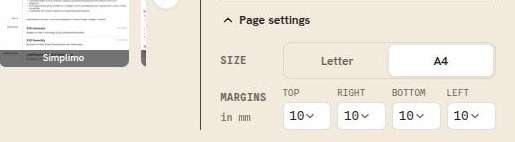
Size sits at the top of Page settings, above the margins.
Good to know
- Page size is free on every plan.
- Page size applies to your PDF and to your public resume page, which is drawn as the same sheet of paper. A Word file uses the layout built into that template instead.
- A4 is a little narrower and a little taller than Letter, so switching can move where your page breaks fall. Scroll through the document after you change it.
- Match the country you are applying to, not the one you live in.