How to Fix My Resume and Improve It Before a Job Search

To fix your resume, correct its errors first, then add your latest job and results, and cut what no longer fits. Most resumes need the same repairs: one consistent layout, a short summary, results with numbers and the words of the job post.
Below are the steps in order, what to remove, and when to update a resume again.
In short
- A resume is fixed in order: errors first, then content, then the match to the job.
- Every font, bullet, heading and date on a resume should follow one style.
- A line that shows a result with a number tells more than a line that lists a duty.
- "References available upon request" and buzzwords like "team player" can be cut from any resume.
- A resume is easier to keep current when you update it every six months, not only when you need a job.
How do I fix my resume?
You fix a resume by working through it in this order, so you never polish a line you later delete:
- Read it as a stranger would. Print it or read it aloud, and mark every error and every vague line.
- Bring it up to date. Add your current job title, new skills, certifications and recent results.
- Cut what no longer helps. Remove old jobs that have nothing to do with the work you want now.
- Rewrite duties as results. Start each line with an action verb and add a number where you can.
- Match it to the job. Use the words of the job post for the skills you really have.
- Fix the look. Pick one layout and apply one style to every section.
- Save it as a PDF with a clear name. Then read it once more before you send it.
How do you fix mistakes and formatting on a resume?
Resume mistakes are fixed with one careful pass for consistency, then one for spelling and grammar. Small errors make a reader doubt your attention to detail.
Check that each of these follows one style across the whole page:
- Fonts and font sizes
- Bullet points
- Headings and subheadings
- Date formats, such as "Jan 2023" everywhere, not "1/23" in one place
- Margins and spacing
Then check the words:
- Use the present tense for your current job and the past tense for earlier ones.
- Look for words a spell checker misses, such as "manger" for "manager".
- Make sure your phone number and email address are correct.
How do you fix the layout and format of your resume?
A resume layout is fixed by choosing the resume format that fits your history, then a design that is easy to read.
- Chronological: your jobs from newest to oldest. It fits most people, especially when your work has stayed in one field.
- Functional or skills-based: skills first, jobs below. It can suit a change of field.
- Hybrid: a short skills summary opens the page, and your job history follows. It suits people with a wide mix of skills and long experience.
For the design, a bold, colorful layout can suit a creative role such as graphic design. A plain, formal one suits finance and most corporate jobs.
Use bullet points for each job, so a reader finds your results quickly. Save the file as a PDF with a professional file name, such as FirstName-LastName-JobTitle-Resume.pdf.
In Resumonk, you can upload the resume you have and move it into any of the 21 resume templates. You can also change its page margins without retyping anything.
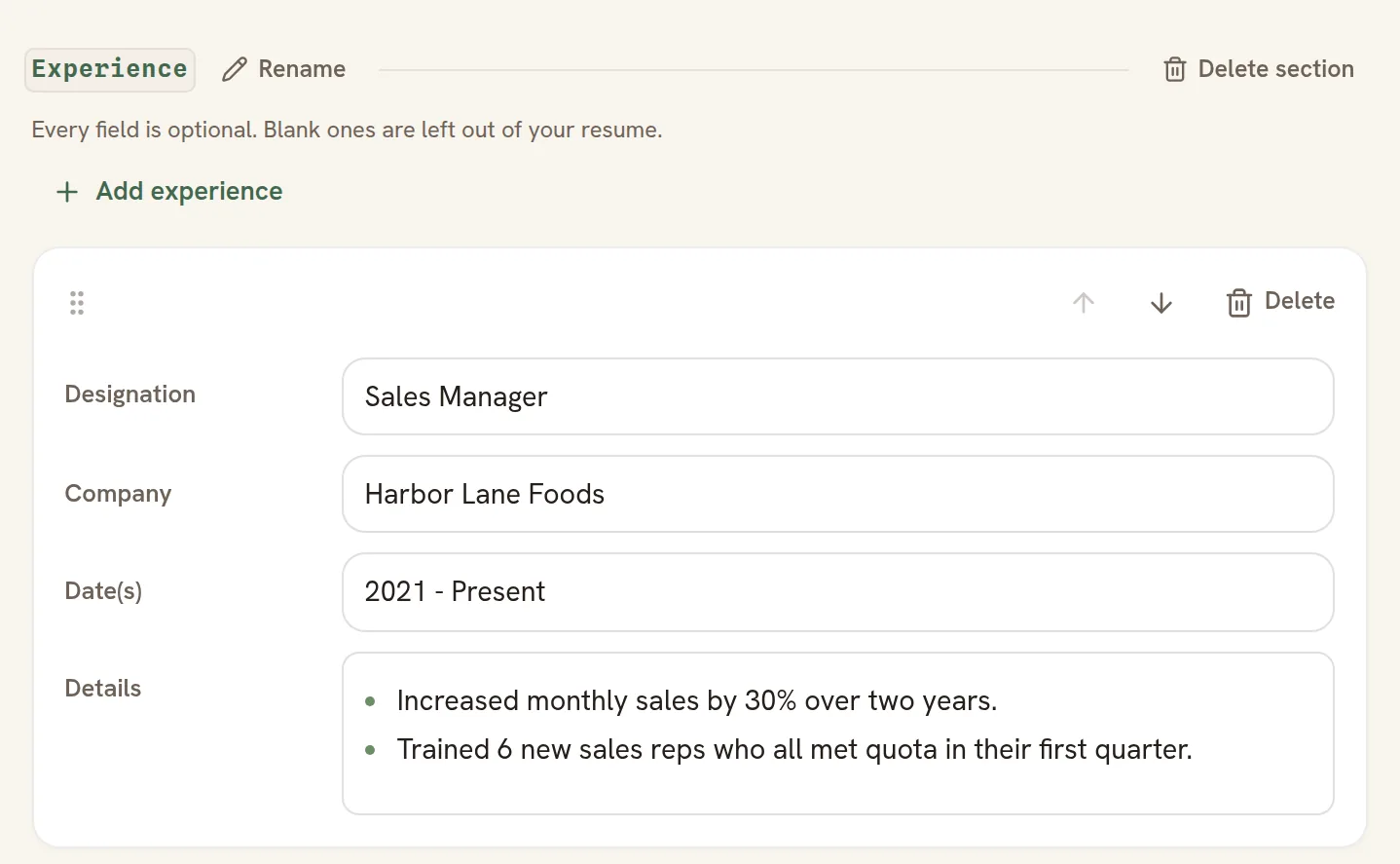
Fix your resume in one placeUpload the resume you have, then edit, reorder or rename its sections in Resumonk.
Build your resume
How can you improve your resume's content?
Resume improvement comes from making each line say what you achieved, in the words the employer uses. Four changes do most of the work.
Open with a short summary
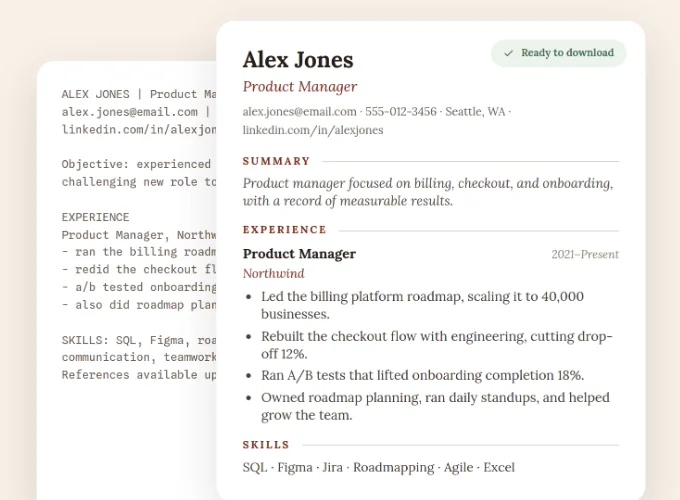
A resume summary of two or three lines at the top tells the reader who you are before they read your jobs. Name your field, then two or three skills.
- B2B Sales Leader with skills in cross-functional team leadership and account growth.
- Data Analysis Expert with skills in data visualization in Python and reporting.
Start each line with an action verb
An action verb such as "Developed", "Managed", "Led" or "Optimized" shows what you did. Avoid openers like "Responsible for" or "Helped with".
Add numbers to your results
A number turns a duty into a result a reader can picture. Compare the old and the improved line from a Sales Manager at Harbor Lane Foods:
- Before: Responsible for monthly sales.
- After: Increased monthly sales by 30% over two years.
Another example: instead of "increased social media engagement", write "grew follower count by 1,500".
Use the words of the job post
A resume matches a job best when it uses the job post's own words for the skills you have. Read the post, note the skills and tools it names, and check that each one you have appears on your resume.
Our guide to tailoring a resume to a job description covers this step in full. If this is your first resume, see the fresher resume guide.
Add links to your LinkedIn profile, portfolio or website next to your contact details, if they are up to date. They matter most for creative roles.
What should you remove from your resume?
Remove anything from your resume that does not help this job. These lines are the usual ones to cut:
- "References available upon request": employers know they can ask.
- Old jobs unrelated to your goal: a summer job from fifteen years ago rarely helps.
- Buzzwords: "team player", "hard worker" and "detail-oriented" say nothing a result does not say better.
- Skills everyone has: email and web browsing, unless the job post asks for them.
- An old graduation year: many experienced people leave off a year from decades ago and keep the degree.
How do you fix employment gaps or short jobs on a resume?
An employment gap is fixed by saying briefly what you did during it, when that time built a skill. For example:
- Volunteering
- Earning a certification
- Working on a personal project
Put the activity on its own line with its dates, as you would a job. Our article on employment gaps on a resume has wording to copy for each kind of gap.
When should you update your resume?
Update your resume at least every six months, even when you are not looking for a job. It is much easier to add results while you still remember the numbers.
Update it sooner after any of these:
- A new job, title or promotion
- A new certification or course
- A finished project with a result you can measure
- Before you ask for a raise or a promotion, since your manager will want proof of your growth
Keep a short running list of wins in a note on your phone. When you update the resume, the facts are already there.
Common questions about fixing a resume
What is the meaning of fixing a resume?
Fixing a resume means correcting what holds it back: errors, an old layout, out-of-date jobs and vague lines. You keep the facts and change how they read, which is the difference from writing a new resume.
Is fixing a CV different from fixing a resume?
Fixing a CV follows the same steps as fixing a resume: correct, update, cut and add results. A CV is often longer and lists more education and research, so check those sections with the same care.
Should someone else review your resume before you send it?
Yes, a second reader catches errors you have stopped seeing. Ask someone in your field, or a school career office if you have one. Paying a resume writer, sometimes called a resume fixer, is a choice rather than a need for most fixes.
Should you change your resume for every job?
Change your resume a little for each job: the summary, the order of your skills and the words that match the post. The facts stay the same.
How do you update a resume you have not used in years?
To update a resume you have not used in years, start from your most recent job. Add each job since, then cut the oldest lines until the page fits.
Can you fix your resume online for free?
Yes. Resumonk is free to start: you can upload your resume and edit it. Free Plan downloads are PDFs and carry a small Resumonk line at the bottom.
Before you let other tools redraft it, read how to use AI to create a resume. Check every line they write against your real experience.
Keep reading
- How to Make a Resume
- What is a Resume?
- Fresher Resume Guide: How to Write a Resume If You Have No Experience
- Dear Software Engineer - This is why your resume was rejected
Next step: start your resume from your LinkedIn profile.
job hunting.
Resumonk polishes your resume, discovers matching jobs and finds connections inside companies.
Get started free- Indeed
- Greenhouse
- + more
This article was originally published on our blog on Nov 21 2024 and authored by Team Resumonk. It was edited and republished in its present form by Team Resumonk on Sep 15 2025.