The Ultimate AI Resume Toolkit: Resources, Templates, and Tools for Job Seekers
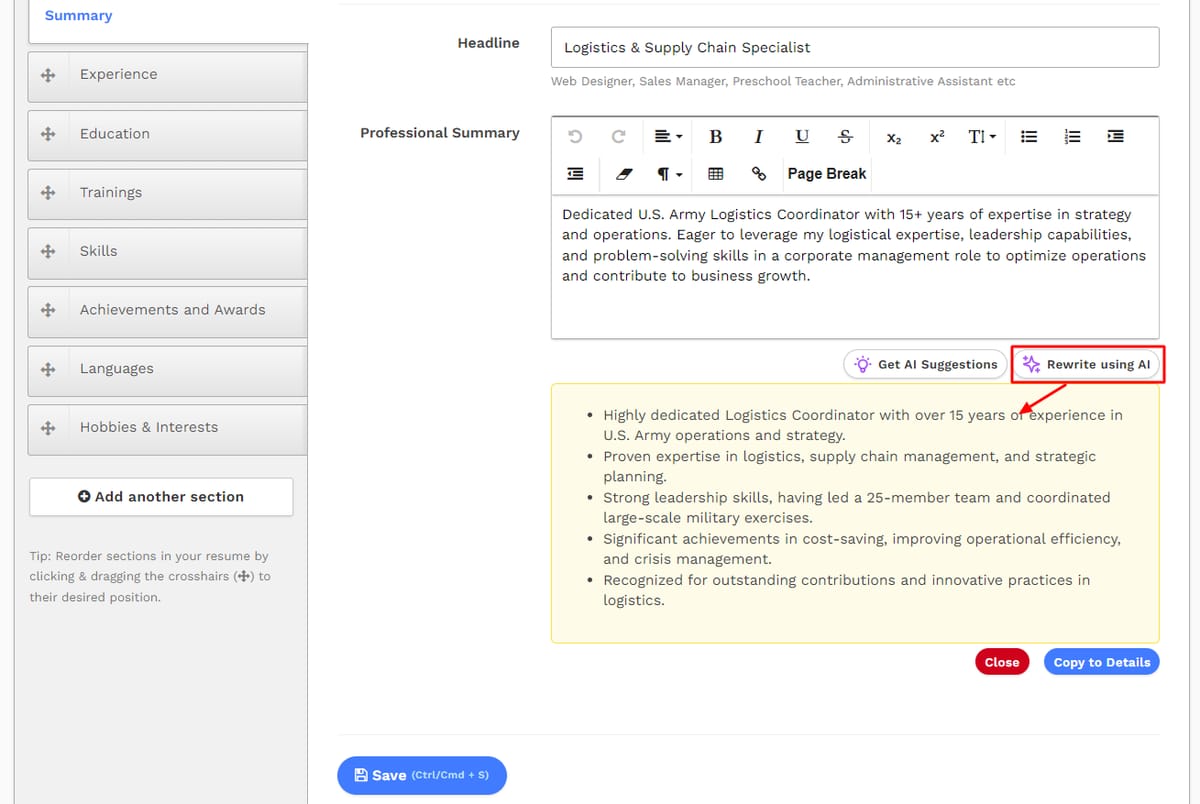
An AI resume toolkit holds three kinds of tools: resume builders, chat assistants, and grammar or paraphrasing tools. Use them to draft and polish your wording, then check every line, since a tool can add claims that are not yours.
Below is what each kind does, how to use them, prompts to copy, and what to check before you apply.
In short
- AI resume tools draft, rewrite and proofread resume text from the facts you give them.
- A resume builder with writing help also handles the template and the PDF download.
- A chat assistant writes text only, so you still need a template for the layout.
- A grammar or paraphrasing tool fixes sentences but does not know what the job asks for.
- Every AI-written line needs a check for numbers, titles and skills you never gave it.
What can AI do for a resume?
AI, short for artificial intelligence, can do five useful jobs on a resume. Each one saves time, but none replaces your own facts:
- Summarize job listings: paste a long job post and get a short list of what the employer wants.
- Draft a summary: give it your career history and the job post, and it suggests a first professional summary to edit.
- Rewrite bullet points: turn duties into results, with an action verb at the start of each line.
- Keep one tone: make every section sound like the same person wrote it.
- Proofread: catch spelling and grammar mistakes before you send the file.
Which AI tools help you write a resume?
AI tools for a resume or CV come in three kinds. Pick by what you need most: a finished document, a first draft, or cleaner sentences.
Resume builders with writing help
Resume builders with writing help are often called AI resume writers, makers or creators.
A resume builder with writing help gives you the template, the wording and the download in one place. Resumonk works this way: you start from a blank page, an uploaded resume or a LinkedIn profile, then use two features:
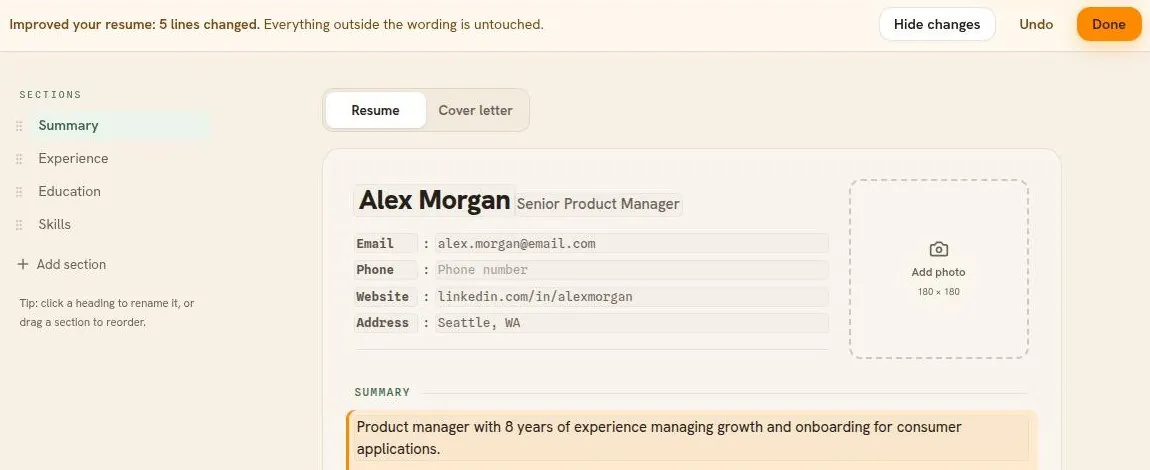
- Improve with AI: improve one entry or the whole resume. Only the wording changes, and you can see what changed and undo it.
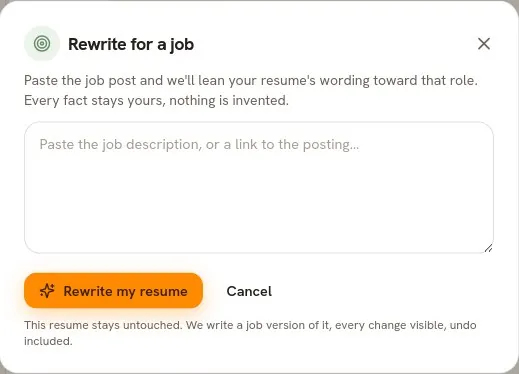
- Rewrite for a job: paste a job post to get a separate job version of your resume. The original stays as it was.
Starting is free, and the pricing page lists what each plan adds.
Improve the wording of your resumeUse Improve with AI on one entry or on your whole resume, then check what changed.
Build your resume
Chat assistants
A chat assistant writes resume text from what you type into it, such as your job title and your experience. It can suggest skills and phrases, rewrite a section for a job post, and comment on structure.
This example asks Claude, one such assistant, for experience lines for a project manager:
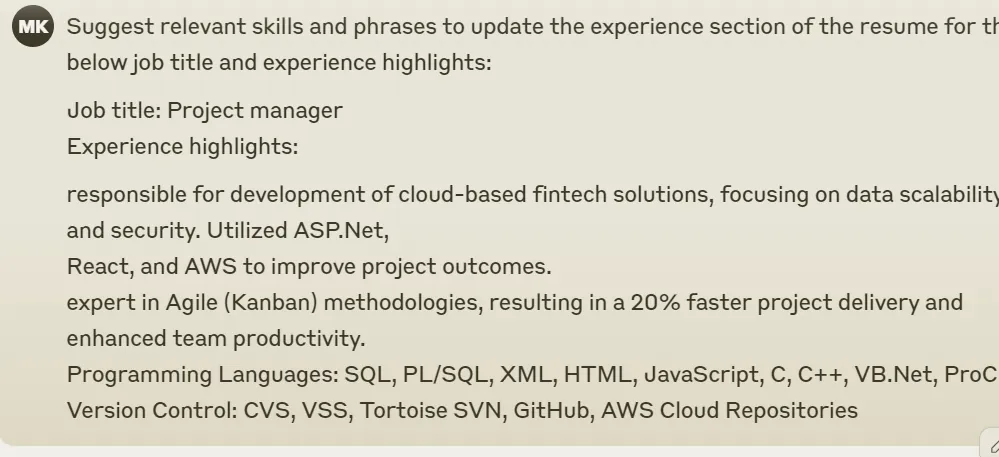
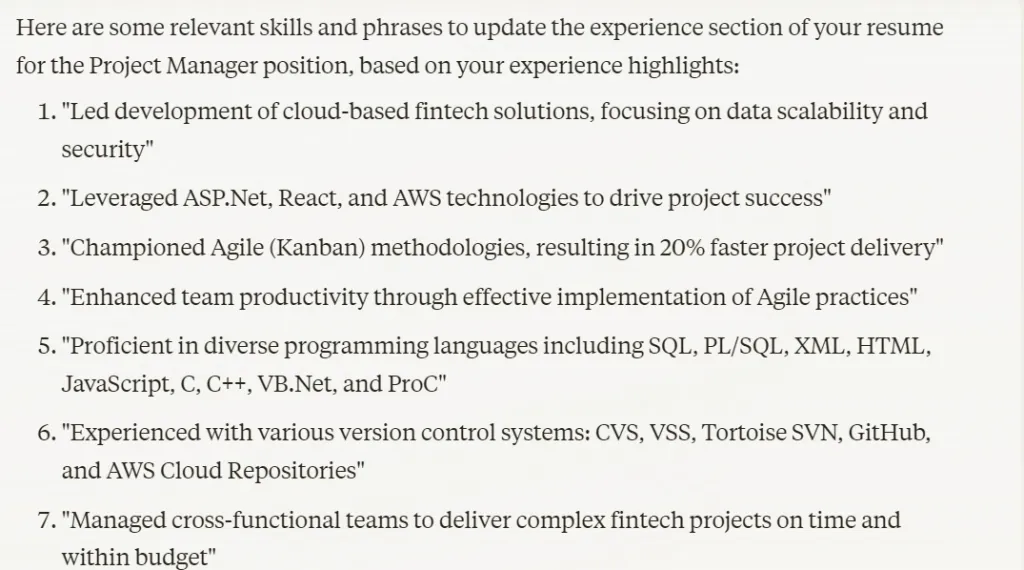
The answer reads well but adds big words such as "championed" and "drive project success". Keep the facts, and change the words to your own.
A chat assistant gives you text, not a layout. Paste the lines into a resume template to format the resume properly.
Grammar and paraphrasing tools
A grammar or paraphrasing tool rewrites sentences you already have. QuillBot, for example, is best known for paraphrasing, and also has a grammar checker and a summarizer:
- Use the paraphrasing tool to rewrite a line that reads badly.
- Use the grammar checker on the finished resume.
- Use the summarizer to shorten a long paragraph in your resume or cover letter.
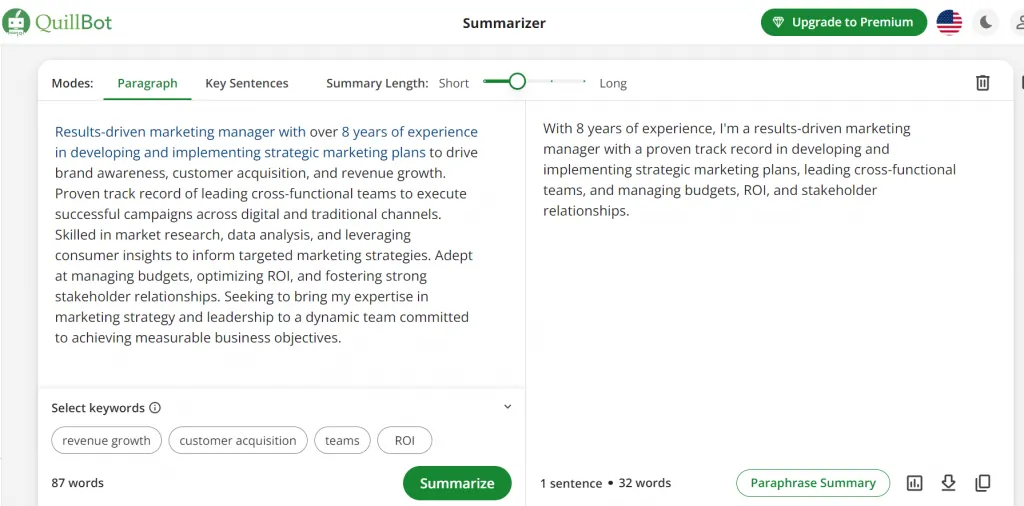
Some writing tools also come as browser extensions, so their suggestions appear where you type, such as in a job site form.
How do you use AI to write a resume?
Resume preparation with AI takes seven steps, with you in charge of the facts:
- Prepare your facts first: jobs, dates, results with numbers, skills and education.
- Copy the job post you are applying to.
- Ask the tool for one section at a time, such as the summary or one job's bullet points.
- Tell it to keep every fact and number and to add nothing new.
- Edit the result so it sounds like you.
- Put the text into a resume template and download it as a PDF.
- Proofread the file yourself, then once more with a grammar tool.
Our guide on how to use AI to create a resume walks through these steps with longer examples.
Prompts to copy for an AI resume tool
These prompts work in most chat assistants and writing tools. Paste your own text after each one:
- "Rewrite these bullet points so they sound more confident. Keep every fact and number, and add nothing I did not write."
- "Write a three-sentence CV summary for a senior accountant from the experience below. Use plain words."
- "Turn these duties into strong resume bullet points that start with an action verb and end with a result."
- "List the skills this job post asks for most, in order, and say which ones my resume is missing."
How do you choose the right AI resume tool?
The right AI resume tool fits your industry and career level and does the part of the work you find hardest. Look for these points:
- Templates: a choice of layouts you can change, if you want a finished document.
- Export: a PDF download, and a Word file if employers ask for one.
- Facts kept: a clear view of what it changed, and a way to undo it.
- Ease of use: an editor you can work in without a manual.
- Privacy: a clear policy on what happens to the text you paste in.
What should you check before you send an AI-written resume?
- Numbers and claims: remove any figure, title or skill you did not give the tool.
- Inflated words: replace "championed", "spearheaded" and "drove success" with what you did.
- Sameness: if a line could be on anyone's resume, add a detail only you have.
- Tense and person: past tense for old jobs, and no "I" in bullet points.
- Formatting: one font, even spacing, and headings in the same style.
Can AI do resume consulting?
AI resume consulting can do part of a consultant's job: point out weak lines, suggest a structure and rewrite wording fast. A consultant, or a friend in your field, knows what hiring managers there expect and can tell you what is missing.
A good mix is to draft and polish with AI, then ask someone who hires in your field to read it.
Common questions about AI resume tools
Can AI make a resume for you?
AI can make a first draft of a resume from your old resume, your LinkedIn profile or notes you type in. The draft still needs your check, because only you know which facts are right.
Are there AI resume templates?
AI resume templates are ordinary resume templates that a tool fills with text. A simple layout with clear headings works best, because it is easy to read and copies cleanly into job site forms.
Is it safe to put your resume into an AI tool?
Putting a resume into an AI tool is as safe as that tool's privacy policy. Before pasting into a general assistant, take out your phone number, home address and anything else private.
Can AI turn a resume into a CV?
AI can turn a resume into a CV draft by expanding sections such as publications, research and teaching. Check the added detail, since a CV must list only real papers, talks and courses.
Which AI skills can you put on a resume?
AI skills on a resume are the AI tools you use at work, listed in your Skills section. Back each one with a result in a bullet point, such as a report you now finish in half the time.
Keep reading
job hunting.
Resumonk polishes your resume, discovers matching jobs and finds connections inside companies.
Get started free- Indeed
- Greenhouse
- + more
This article was originally published on our blog on Sep 06 2024 and authored by Manjeet Kaur. It was edited and republished in its present form by Team Resumonk on Sep 15 2025.