How to see analytics for your public resume
When your resume is public, Resumonk counts the real visits to its page. You can see how many people opened it, how many downloaded the PDF, and roughly where they were.
-
On your resumes, open the card's ⋯ menu and choose Analytics.
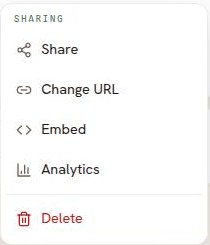
Analytics is in the menu on every plan, so you can always see what it offers. -
The page opens with the counts for that resume.
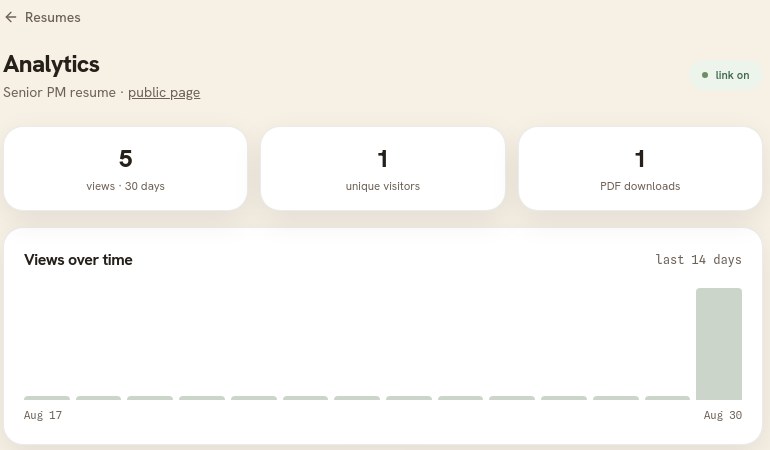
Views over the last 30 days, unique visitors, and PDF downloads, with a chart of the last 14 days.
What is counted
- Views: how many times the public page was opened in the last 30 days.
- Unique visitors: roughly how many different people that was.
- PDF downloads: how many times someone used the download button on the page.
- Where views come from: the countries the visits came from, as a share of the total.
- Recent activity: the latest views and downloads, newest first.
Your own visits are not counted, and neither are search-engine crawlers. The page says plainly that these are real visits, and Resumonk does not guess who the viewers were.
On the free plan
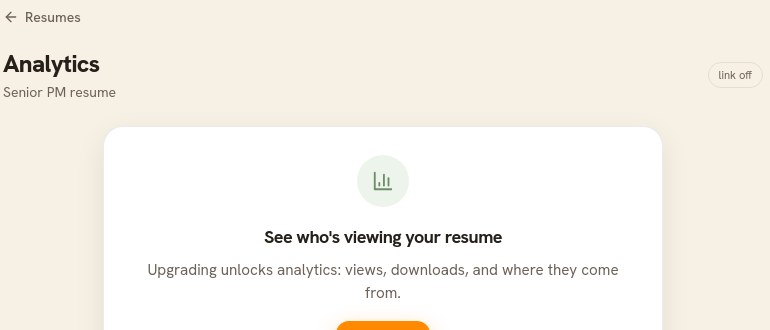
The page explains what analytics shows and what upgrading unlocks.
Good to know
- Nothing is counted until the resume is public. If the link is off, the page says so and offers to turn it on.
- A view means the page was opened. It does not tell you who opened it, and Resumonk will not pretend otherwise.
- Each resume has its own numbers, including each job version you have published.