How to prepare an application for a job
When a role is worth going after, Resumonk helps you build the application. It rewrites a copy of your resume in the role's language, shows you the honest gaps, and drafts a cover letter.
-
Open a match from your Jobs page and click Prepare application.
-
Wait while it works. It usually takes about a minute, and you can leave the page: the work keeps running and the result waits for you on Your resumes.
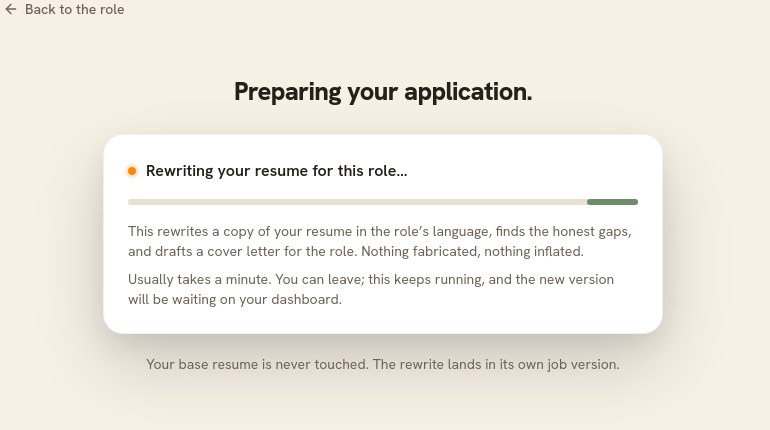
The screen says what it will do, and what it will not do, before it does it. -
Open the result and read it. The rewritten resume and the letter are yours to edit; the gaps and the trim suggestions are there to read.
What you get
- A job version of your resume, written in the language of that posting. Your base resume is never touched.
- The gaps: what the posting asks for that your resume does not show. These are gaps, not suggestions to fabricate. Add them only if you actually have them.
- A draft cover letter, grounded in your resume and the posting. It is a draft, not your words yet, and the editor says so.
Good to know
- Resumonk never sends anything. It prepares; you decide what to send and when.
- Nothing is invented. Every line leans on something already in your resume or in the posting.
- Read the letter before you use it. A drafted letter that you have not made your own reads like one.
- Preparing applications is part of the Professional and Executive plans, with no counter to watch. There is a daily limit set high enough that ordinary use never meets it.