How to export your data
You can ask Resumonk for a copy of your resumes and their data. It arrives by email, so you do not have to wait on the page.
-
Open your account page and scroll to Your data.
-
Click Export my data.
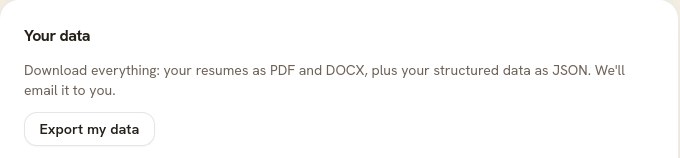
Resumonk confirms it is preparing the export and names the address it will send to. -
Wait for the email. It goes to the address on your account.
What the export contains
- Every resume as a PDF, plus Word files where the template supports them. Templates with a photo are PDF only.
- Your structured data as JSON: the actual text of every field, in a form another program can read.
- Your cover letters. On a plan that includes them the letter is folded into its resume's PDF, and the text is in the JSON either way.
Good to know
- Exporting is free on every plan, and you can do it whenever you like.
- The export is a copy. Nothing is removed from your account, and nothing changes.
- It covers your resumes. Your job searches, saved roles, and page analytics are not part of it.
- If the email does not arrive, check your spam folder, and check that the address on your account is the one you are watching.
- Leaving? Export first, then delete your account. Deleting is permanent, and the export is your copy.