9 Tips to Make Your LinkedIn Profile Stand Out
To make your LinkedIn profile get noticed, fill in every section, write a clear headline and About section, and add a photo. Then stay active by sharing and commenting on posts in your field, so your name keeps showing up in people's feeds.
Below are nine tips, each with the steps to follow on LinkedIn.
In short
- A complete, current LinkedIn profile is easier for recruiters to find in search.
- Your headline is the first thing people read after your name, so make it say what you do.
- A clear, recent photo of your face makes a profile look real and trusted.
- The About section is the place to write in the first person about your work and results.
- Sharing posts, writing articles and joining groups keep your profile in front of people in your field.
1. How do you keep your LinkedIn profile active?
A LinkedIn profile stays up to date when your job title, industry and location are current. People search by those details, so an old one hides you.
- Check the basics. Update your current job, your industry and your city whenever they change.
- Rewrite your headline. The headline stands next to your name in search results, comments and invitations. It can hold your job title, a result or the skills people search for. An example: "Payroll specialist | ADP and Workday | Small business payroll".
- Share useful posts. Post or reshare articles about your industry. Use a news site's LinkedIn share button, or paste a link into "Start a post" on your home page.
- Comment, not just like. A thoughtful comment on someone else's post shows your name and headline to their whole network.
Your recent posts and comments show in the Activity section of your profile. What you share tells visitors what you care about and whether you follow news in your field.
2. What makes a good LinkedIn profile photo?
A good LinkedIn profile photo is a recent, well-lit picture of your face, alone, dressed as you would for work. LinkedIn is a social site, but a professional one.
- Leave out pets, family, friends cropped out of a group shot and photos taken at a bar.
- Face the camera, and let your head and shoulders fill most of the frame.
- Use a plain background, so the eye goes to your face.
A profile with a photo looks like a real person, so people are more likely to accept your invitation or reply.
3. Should you add a LinkedIn background photo?
A LinkedIn background photo is worth adding, because the default banner looks the same on every profile. It is the wide picture behind your profile photo.
Keep it professional, but let it say something about your work. Good choices are the city you work in, your workplace, a product you built or a simple pattern. LinkedIn suggests an image of 1584 by 396 pixels.
4. How do you write a LinkedIn summary that people read?
A LinkedIn summary, now called the About section, works best in the first person. Write a few short paragraphs about what you do and do well. Your profile is an online version of your resume, but here you have room to say more about your results.
When you write your summary, keep these points in mind:
- Skip the jargon and buzzwords. Words like "results-driven" or "team player" say nothing about you.
- Check the grammar. A typo on your profile looks careless to anyone deciding whether to call you.
- Use the words people search for. Name your job title and main skills the way a recruiter would type them.
- Open with your best line. Only the first lines show before "see more", so put what you do first.
A short example of an opening:
- "I help small clinics get paid faster. For six years I have run billing for practices of 5 to 40 staff, and I cut unpaid claims at my current clinic by a third."
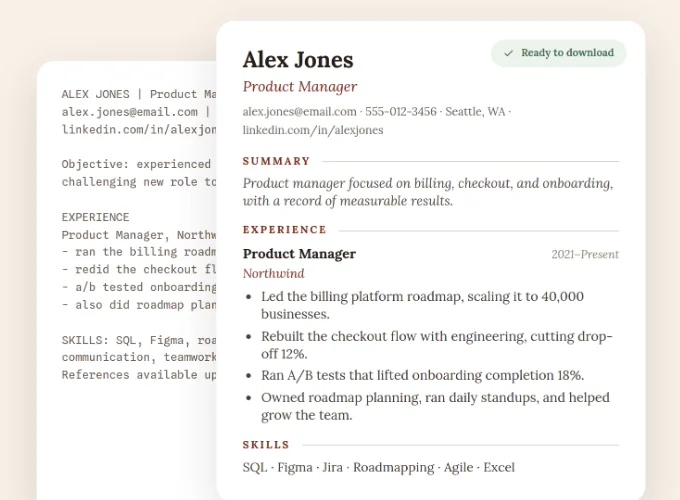
Your LinkedIn profile and your resume should match on job titles, employers and dates. If your profile is current, Resumonk can turn your LinkedIn profile into a resume that you then edit.
Turn your LinkedIn profile into a resumePaste your profile link on Resumonk's start page and it fills in a resume you can edit.
Build your resume
5. How personal should a LinkedIn profile be?
A LinkedIn profile can be a little personal, as long as it stays about you as a professional. Let people see there is a person behind the job title.
Mention what you care about, a cause you support or what you do outside work, in a line or two. If you volunteer or work with a charity, LinkedIn has a section for it. To add your volunteer experience:
- Open your profile and click "Add profile section" under your name and headline.
- Find "Volunteer experience" in the list of sections and open it.
- Fill in the organization, your role, the cause, the dates and a short description, then save.
6. How do you add media to your LinkedIn profile?
Media is added to a LinkedIn profile in the Featured section, or inside an Experience or Education entry. Media can be a link, a document, a photo, a video or a slide deck.
A writer can show articles, a designer a portfolio and a sales manager a short case study. Visitors see your work instead of reading about it. To add media to an entry:
- Choose the section where the media belongs: Featured, an Experience entry or an Education entry.
- Click the pencil icon on that entry to edit it.
- Under Media, choose "Add media", then add a link or upload a file.
- Give the item a title and save.
7. Should you write articles on LinkedIn?
Writing articles on LinkedIn is worth it if you can talk about your industry and what you do. LinkedIn lets you write and publish articles on the platform itself.
To start one, click "Start a post" on your home page and choose "Write article". Keep the subject close to the work you want to be known for. Your articles then show on your profile, and you can pin the best one to your Featured section.
If you already write on a personal blog, add its link to your profile as well.
8. How do you find and join LinkedIn groups?
LinkedIn groups are found through the search bar: type a topic, then choose the Groups filter. Groups let you meet people in your field, see what they talk about and find leads for your business.
- Type your field or a topic, such as "product management", in the LinkedIn search bar.
- Choose "Groups" in the filters at the top of the results.
- Open a group and read its description and rules.
- Click "Join". In a private group, your request waits until a group manager accepts it.
Once you are in, answer questions and add to discussions. A member who helps others gets more profile visits than one who only posts links.
9. Be friendly and welcoming to people who reach out
Being friendly on LinkedIn means replying to messages, thanking people who endorse you and welcoming new connections. LinkedIn is for networking, and people help those who are pleasant to deal with.
Add a short note when you send an invitation, saying how you know the person or why you want to connect. When someone asks for advice, answer, even briefly. A wider network means more people who might think of you when a job opens.
Common questions about LinkedIn profiles
What should a LinkedIn headline say?
A LinkedIn headline should say what you do and for whom, in the words people search for. LinkedIn gives you up to 220 characters, so you can add a main skill or result after your job title.
How long should a LinkedIn About section be?
A LinkedIn About section can hold up to 2,600 characters, but three to five short paragraphs is plenty. Put the most important line first, because only the opening shows before "see more".
How do you get a custom LinkedIn profile URL?
A custom LinkedIn URL is set on your profile under "Edit public profile & URL". Change it to your name, such as linkedin.com/in/maria-lopez, so it looks clean on your resume.
Should you turn on Open to Work?
Open to Work lets recruiters know you are looking for a job. You can show it to everyone, with a green frame on your photo, or to recruiters only. Recruiters only is safer if your employer should not know.
Should your LinkedIn profile match your resume?
Your LinkedIn profile and your resume should match on job titles, employers and dates. The profile can say more: a longer summary, media, recommendations and posts that a resume has no room for.
Keep reading
- Should You Apply to Jobs Using Your Resume or LinkedIn Profile?
- Is it important to have a LinkedIn profile?
Next step: turn your LinkedIn profile into a resume.
job hunting.
Resumonk polishes your resume, discovers matching jobs and finds connections inside companies.
Get started free- Indeed
- Greenhouse
- + more
This article was originally published on our blog on Jul 06 2017 and authored by Sarah Landrum. It was edited and republished in its present form by Team Resumonk on Sep 15 2025.